
Description
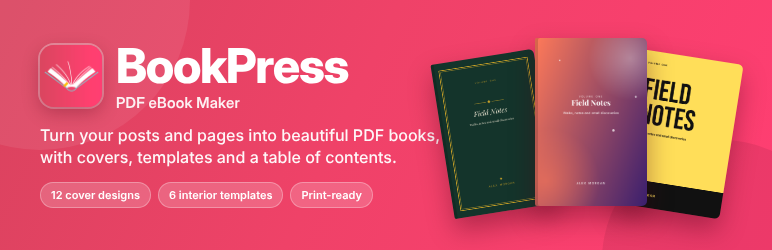
BookPress turns your WordPress content into a polished PDF book. Choose the posts, pages or custom post types you want, arrange them into chapters and parts, pick a cover and an interior template, and download a print-ready PDF from your dashboard. You don’t need any design or coding skills.
Formerly WP Book.
Video walkthrough
See every feature in five minutes, from choosing a cover to downloading the finished book:
A cover for every book
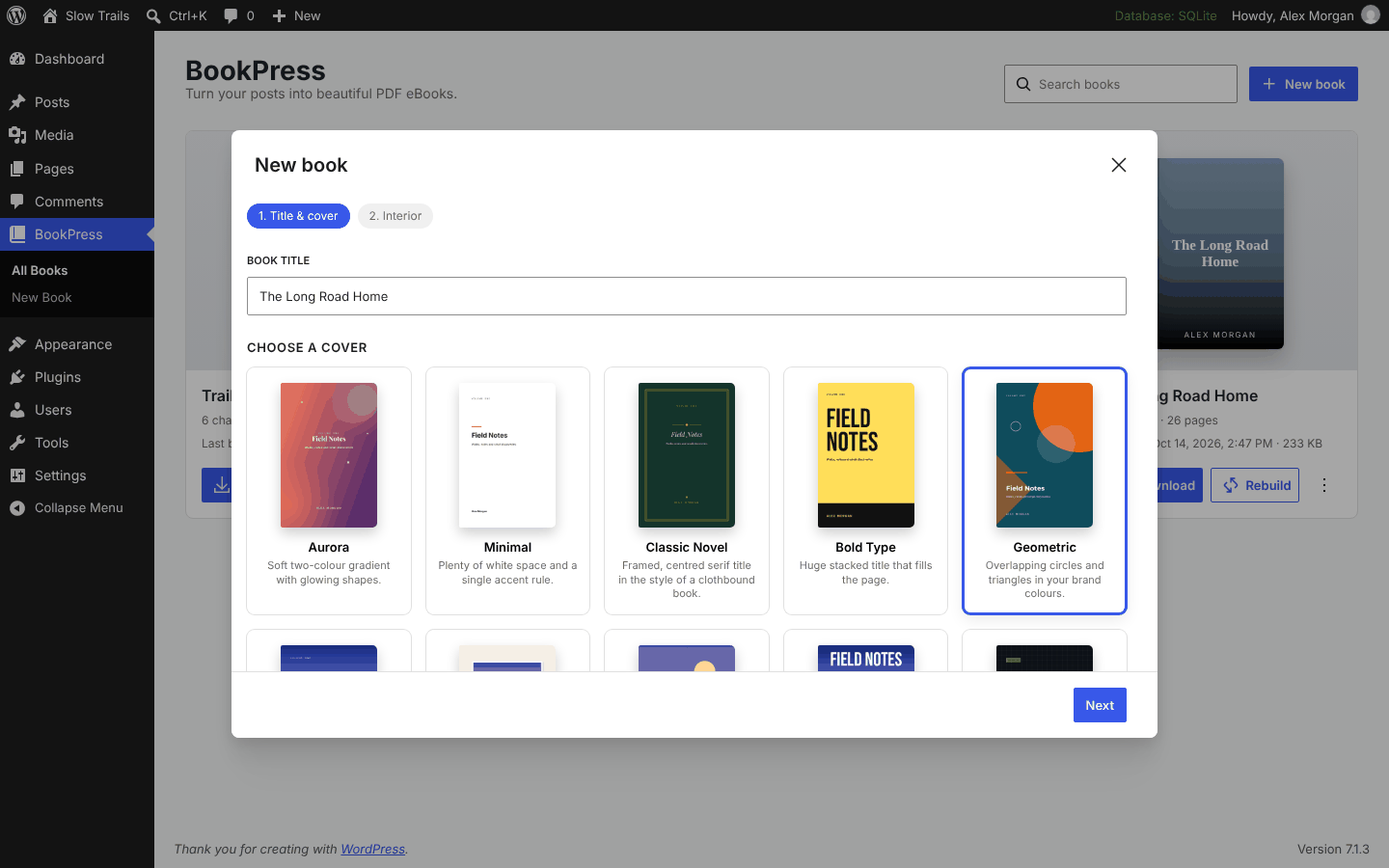
Choose from 12 cover designs and make them your own:
- Aurora, Minimal, Classic Novel, Bold Type, Geometric, Tech Guide, Botanical and Playful
- Full-bleed Photo, Photo Frame, Split and Magazine for covers with a picture
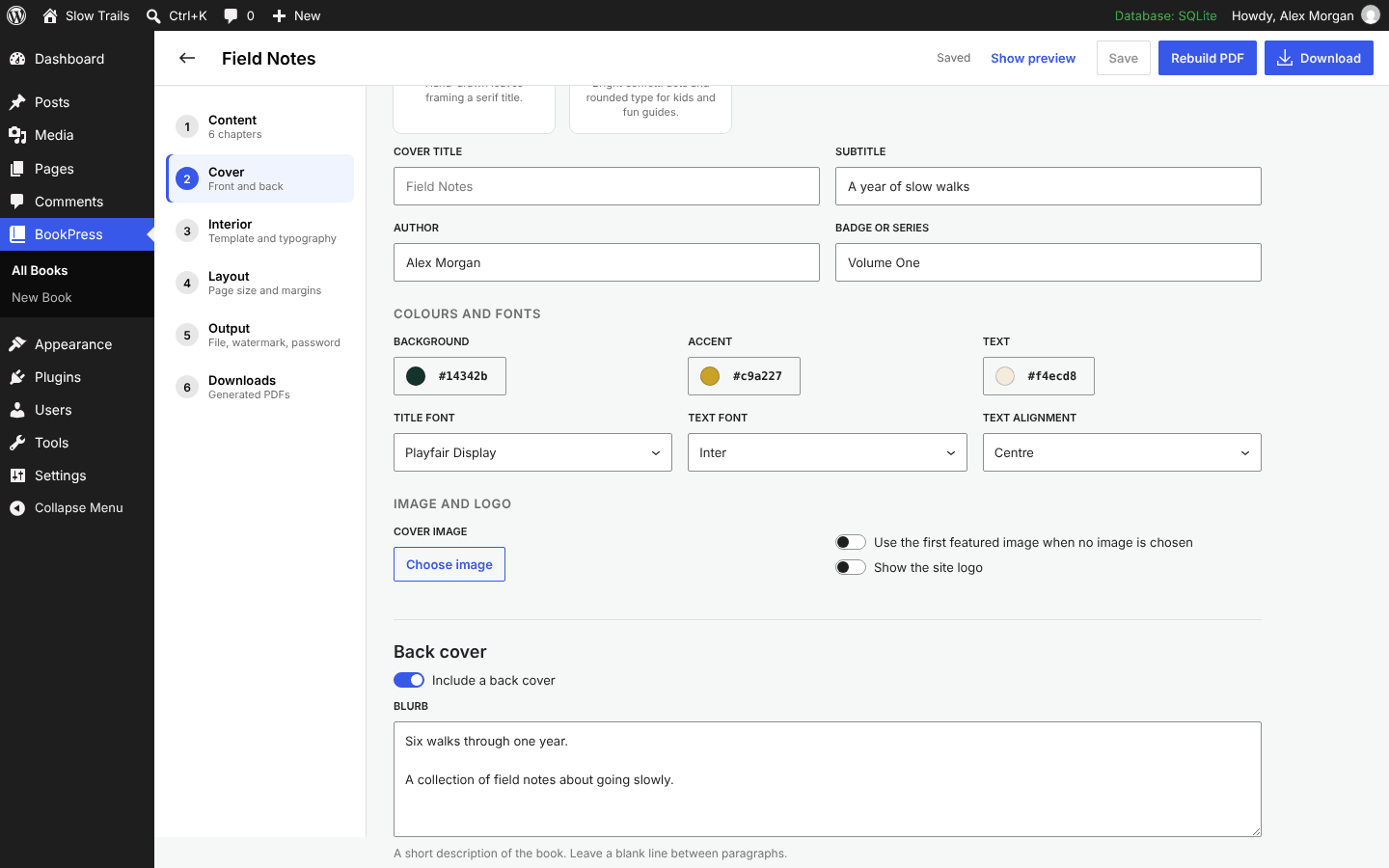
- Set your own title, subtitle, author, series or volume badge, colours, fonts and alignment.
- Auto cover: one click builds a cover from your theme’s colours, your site logo and the first featured image.
- Back cover with a blurb, an author bio and a QR code that links to your site.
- Print cover: back, spine and front on one sheet with bleed, ready for print-on-demand services. The spine width follows your page count.
Interior templates
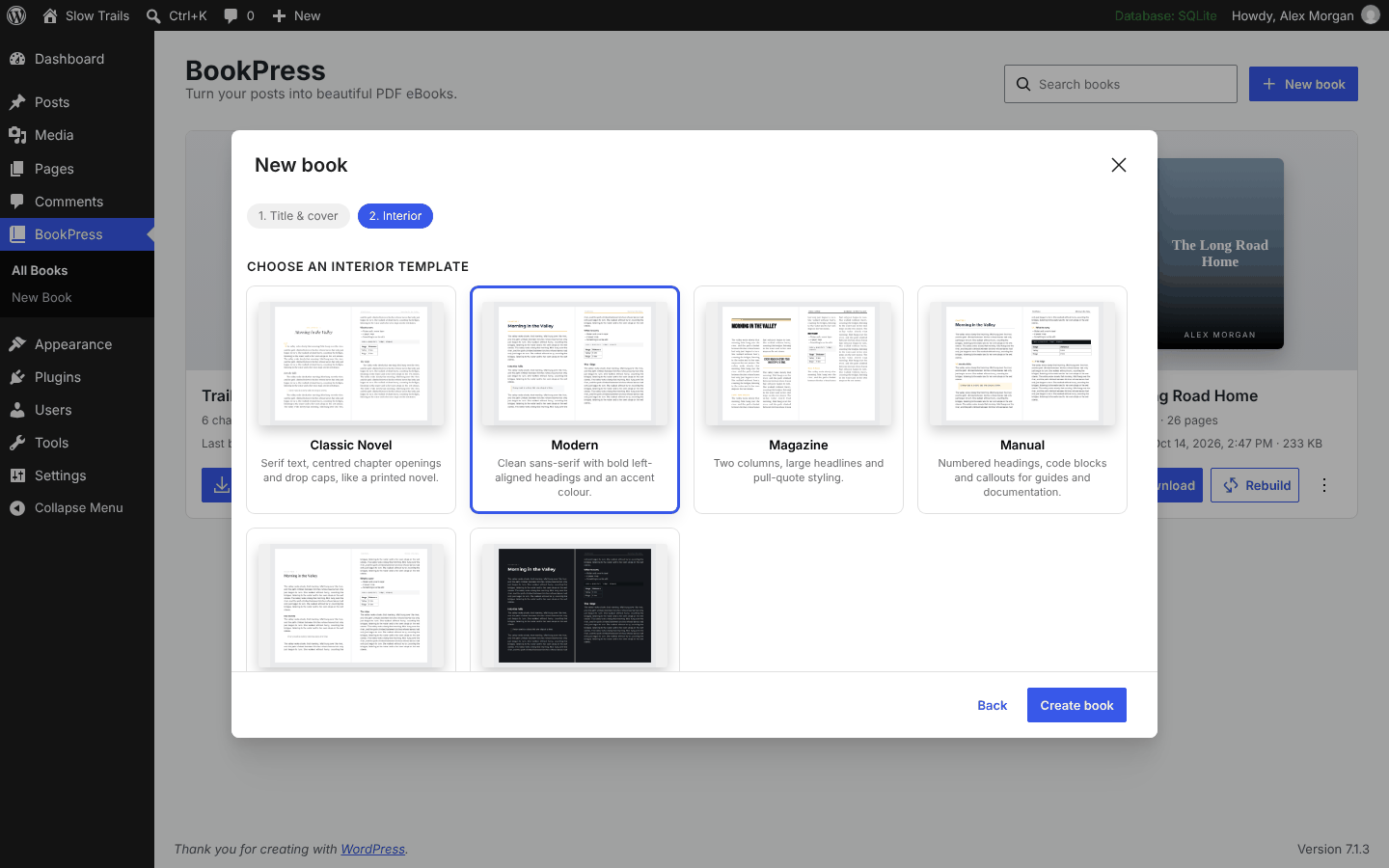
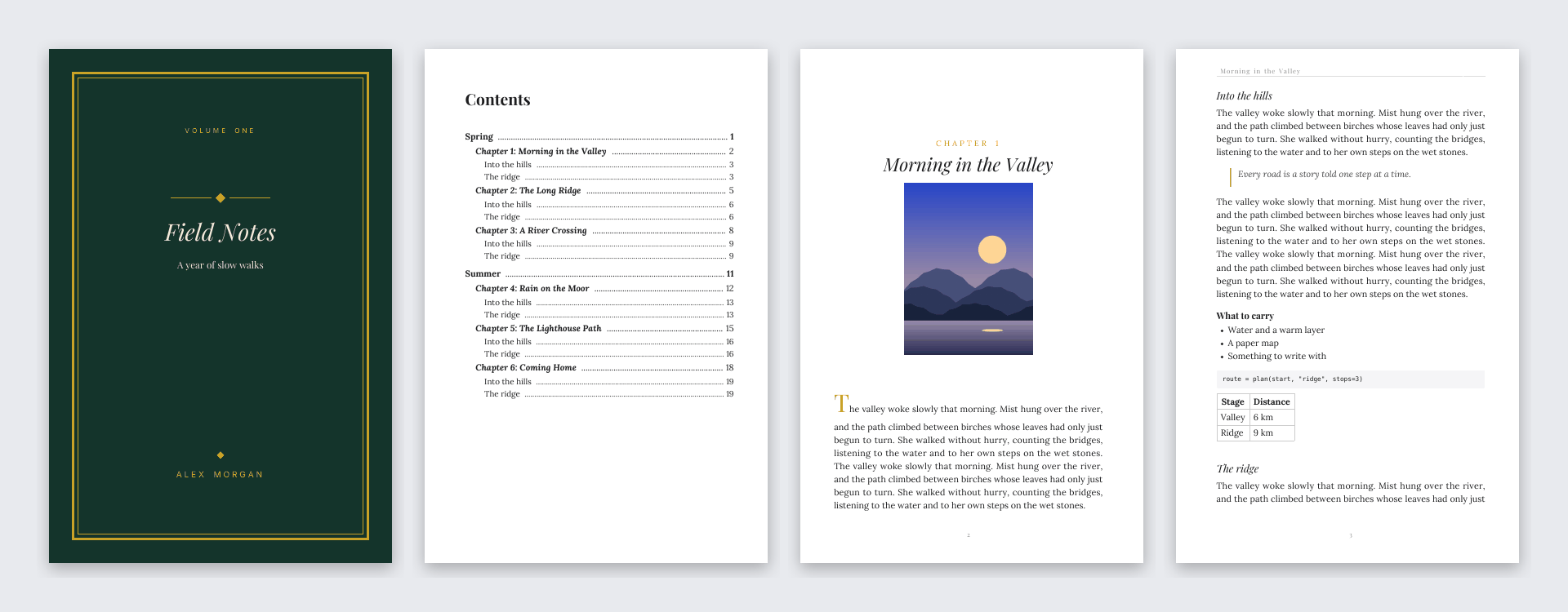
- Classic Novel: serif text, centred chapter openings and a raised initial.
- Modern: clean sans-serif with an accent colour.
- Magazine: two columns, big headlines and pull quotes.
- Manual: numbered headings, code blocks and callouts for documentation.
- Minimal: quiet typography and generous margins.
- Dark Reader: light text on dark pages for reading on screens.
Fine-tune the font, size, line height, justification, paragraph indents and drop caps.
Everything a real book needs
- Title page, copyright page, dedication and preface
- Automatic table of contents with page numbers and links
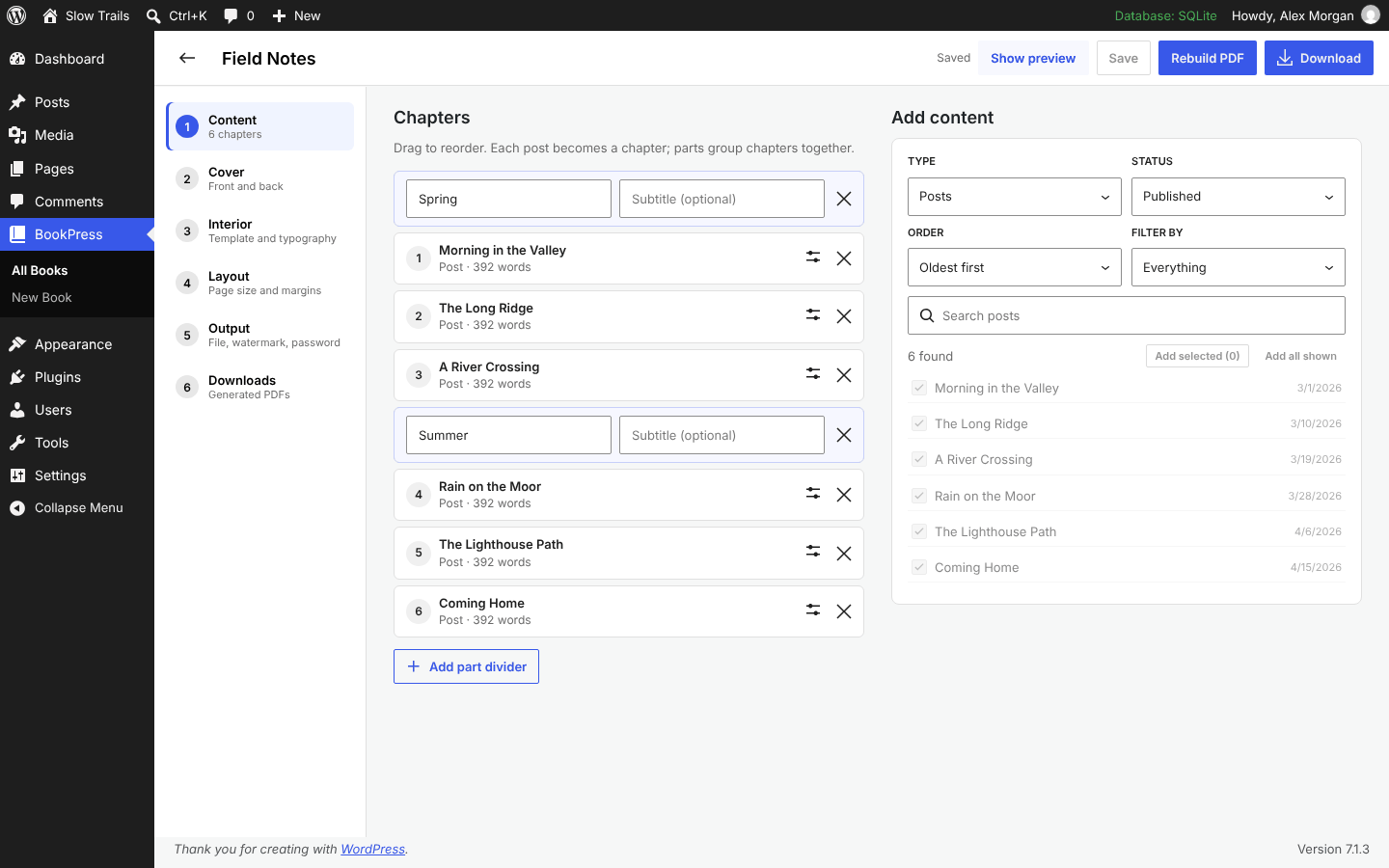
- Chapter numbers and part dividers
- Running headers with the chapter title, and page numbers
- Mirrored margins and right-hand chapter starts for print
- PDF bookmarks, metadata, an optional watermark and an optional password
- Trade book sizes (6×9, 5.5×8.5, 5×8 and more) as well as A4, A5 and Letter
Built for real sites
- Drag-and-drop chapters: search and filter your content by type, status, category or tag, then reorder.
- Live preview of the cover and sample pages while you edit.
- Background generation with a progress bar, so long books don’t time out.
- Download history: your last PDFs are kept and offered through a secure link that only logged-in editors can use.
- Blocks and shortcodes are rendered; scripts, ads and remote content are left out.
- Chinese, Japanese, Korean, Arabic, Hebrew, Indic and other scripts are supported with optional font packs, downloaded with one click.
- Works on PHP 7.4 to 8.4.
Privacy
BookPress does not send your content anywhere. PDFs are created on your server and stored in a protected folder in your uploads directory.
External service: font packs
BookPress includes fonts for Latin, Greek and Cyrillic text. Fonts for other scripts (Chinese, Japanese, Korean, Arabic, Hebrew, Indic scripts and more) are large, so they are not bundled. When an administrator clicks Download under Interior Languages, BookPress downloads these fonts from the open-source mPDF project on GitHub (raw.githubusercontent.com). Nothing is downloaded unless an administrator asks for it, and only the font files are requested: no content or personal data is sent. Each file is checked against a stored SHA-256 checksum before it is used. GitHub’s terms of service and privacy statement apply to these downloads.
Screenshots
Installation
- In your dashboard, go to Plugins Add New, search for BookPress, then install and activate it.
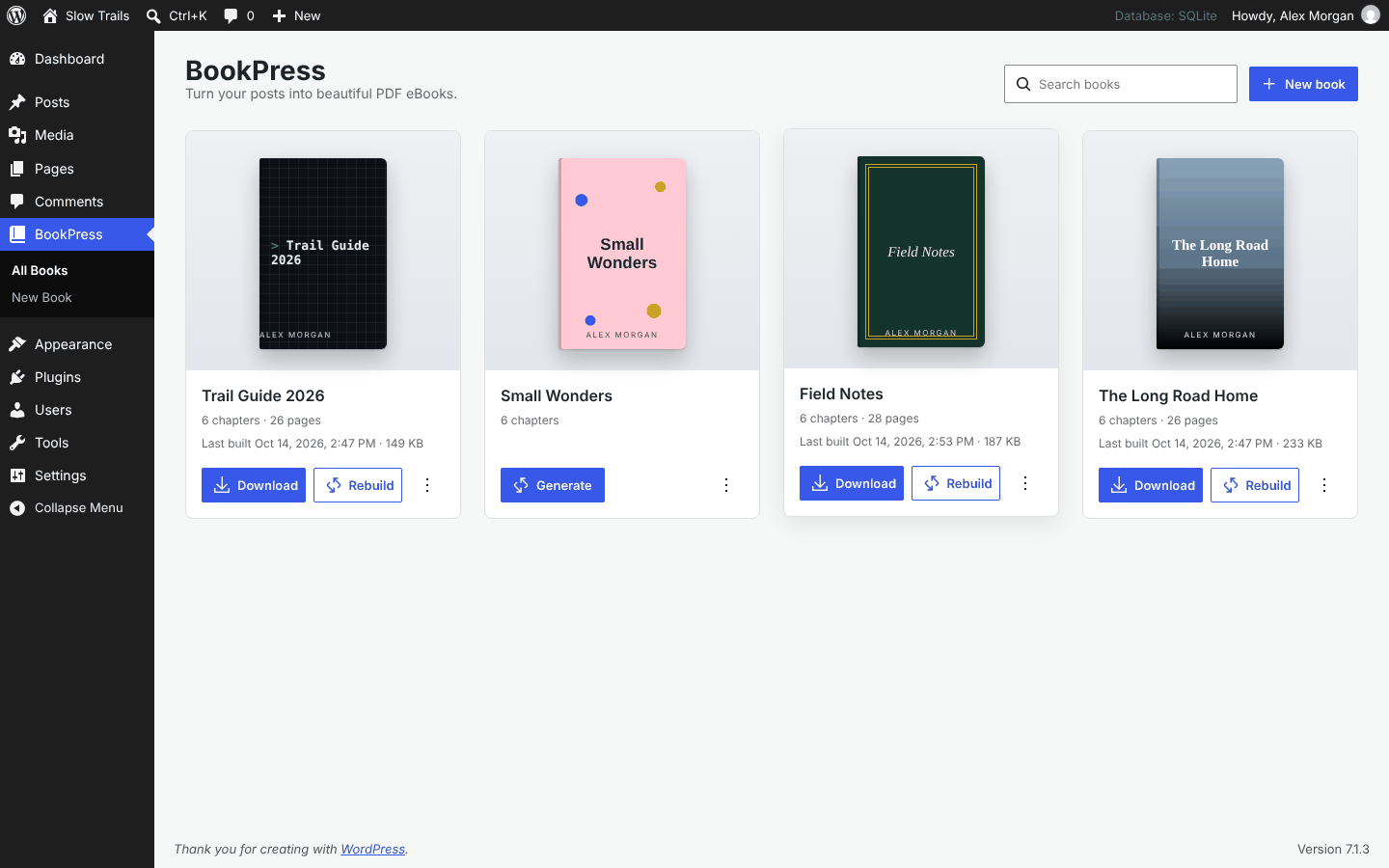
- Open BookPress in the admin menu and click New book.
- Choose a cover and an interior template, add your chapters, then click Generate PDF.
- Click Download when the book is ready.
FAQ
-
Who can create books?
-
Editors and administrators, meaning users with the
edit_others_postscapability. Developers can change this with thewpbook_base_capabilityfilter. A book only includes posts that the person generating it is allowed to read. -
Where are the PDFs stored?
-
In
wp-content/uploads/wp-book/books/, in a folder protected by deny rules and with random file names. Downloads go through a secure link that only logged-in users who can manage books can open. -
My book has hundreds of posts. Will it time out?
-
No. Books are generated in the background using Action Scheduler, the same queue many popular plugins use, with progress shown in the editor. A 400-page book takes a few seconds on a typical server.
-
Can I print my book?
-
Yes. Choose a trade size such as 6 × 9 in, turn on mirrored margins, and enable Print cover in the Output step. You’ll get the interior PDF and a separate cover sheet with spine and bleed.
-
Can I customise the cover and template designs?
-
Yes. Copy any file from the plugin’s
templates/folder to abookpress/folder in your theme and edit it there. You can also add your own designs with thewpbook_coversandwpbook_templatesfilters. -
I used WP Book 1.x. What happens when I update?
-
The old Settings WP Book screen now opens BookPress. Custom templates added with the
wp_book_get_templatesfilter appear as legacy interior templates. Books from 1.x were never saved, so there is nothing to migrate. Create a book and add your posts. -
My book has Chinese, Japanese, Arabic or Hindi text. Why do I see empty boxes?
-
These scripts need fonts that are too large to bundle with the plugin. Go to Interior Languages in the book editor and download the font pack for your language (an administrator must do this once), then build the book again. BookPress tells you after a build when a font pack is missing.
-
Which PHP and WordPress versions are supported?
-
WordPress 6.4 or later and PHP 7.4 or later, including PHP 8.4.
Reviews
There are no reviews for this plugin.
Contributors & Developers
“BookPress – PDF eBook Maker” is open source software. The following people have contributed to this plugin.
Contributors
Translate “BookPress – PDF eBook Maker” into your language.
Interested in development?
Browse the code, check out the SVN repository, or subscribe to the development log by RSS.
Changelog
2.0.0
- BookPress: WP Book is now BookPress – PDF eBook Maker, rebuilt from the ground up.
- New: save books and come back to them, with a download history for each book.
- New: 12 cover designs, a cover editor, Auto cover, back cover with QR code and a print cover with spine.
- New: 6 interior templates with typography controls.
- New: title, copyright, dedication and preface pages, table of contents, parts, running headers and page numbers.
- New: drag-and-drop chapters, a content picker with filters, and a live preview.
- New: background generation with progress, so large books don’t time out.
- New: trade book sizes, mirrored margins, watermark and password protection.
- New: optional font packs for Chinese, Japanese, Korean and other scripts, which keeps the plugin download small.
- Security: books only include content the user may read, and downloads require a logged-in user who can manage books.
- Requirements: WordPress 6.4 or later.
1.1.1
- Security: Only users who can manage options can list posts or generate books, and books only include posts the user is allowed to read.
- Security: The post list sent to the browser now contains only post IDs and titles.
- Security: Generated PDF file names are now random and cannot be guessed.
1.1.0
- New: PHP 8 support. WP Book now bundles mPDF 8.3, which works on PHP 7.4 through 8.5.
- New: Japanese, Arabic and other non-Latin scripts render in the PDF instead of empty boxes.
- Fix: The Sort option now orders posts as selected.
- Fix: mPDF temporary files are written to the server’s temp directory, so a read-only plugin folder no longer stops PDF generation.
- Fix: PHP warnings and notices on PHP 8.
- Security: All admin screen output is escaped and request input is validated.
- Security: Updated bundled libraries (mPDF 8.3.1, FPDI 2.6.9) to fix known vulnerabilities.
- Requirements: PHP 7.4 or later and WordPress 4.4 or later.
1.0.1
- Rewrote the plugin description, FAQ and screenshot captions.
- New plugin banners.
- Added a Requires PHP header (7.1).
- Updated bundled libraries: myclabs/deep-copy 1.13.4 and psr/log 1.1.4.
1.0
- Initial release.