

Description
Tired of messy spreadsheets or clunky external UTM builders? 😩 Simple UTM Builder is the ultimate UTM builder that brings UTM parameter creation directly into your WordPress admin! 🎯
Transform your campaign tracking with Simple UTM Builder – the most intuitive UTM builder for WordPress. Building UTM-tagged links for your marketing campaigns should be a breeze, not a chore. With Simple UTM Builder’s powerful interface, you can:
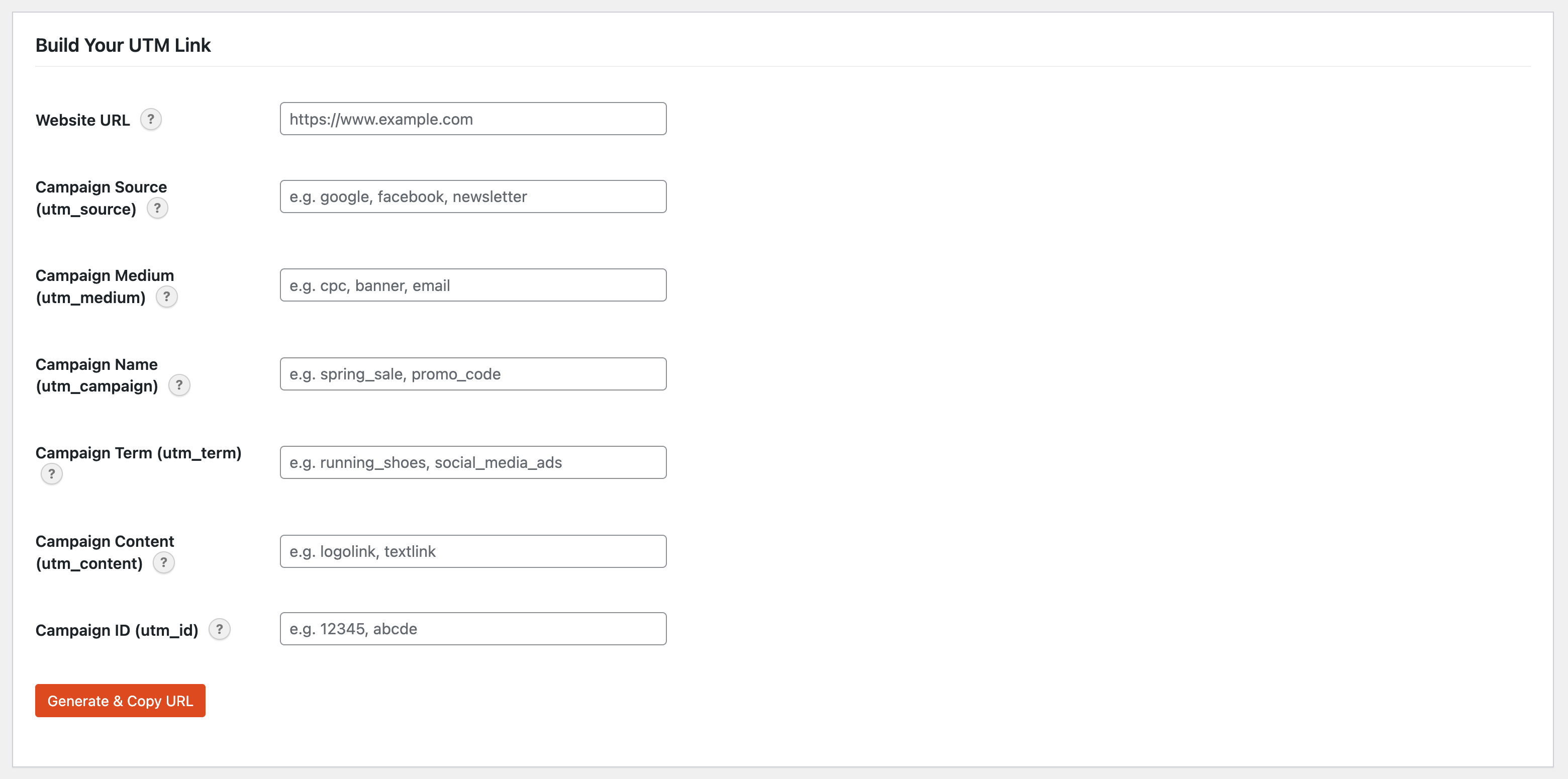
- 📝 Quickly generate UTM-tagged URLs for all your campaigns.
- 🏠 The Website URL starts filled in with your site’s address. Open the builder from a post or page and it starts with that page’s link.
- 🔗 Add standard UTM parameters:
utm_source,utm_medium,utm_campaign,utm_term,utm_content, andutm_id. - 📋 Instantly copy your generated URL with a single click.
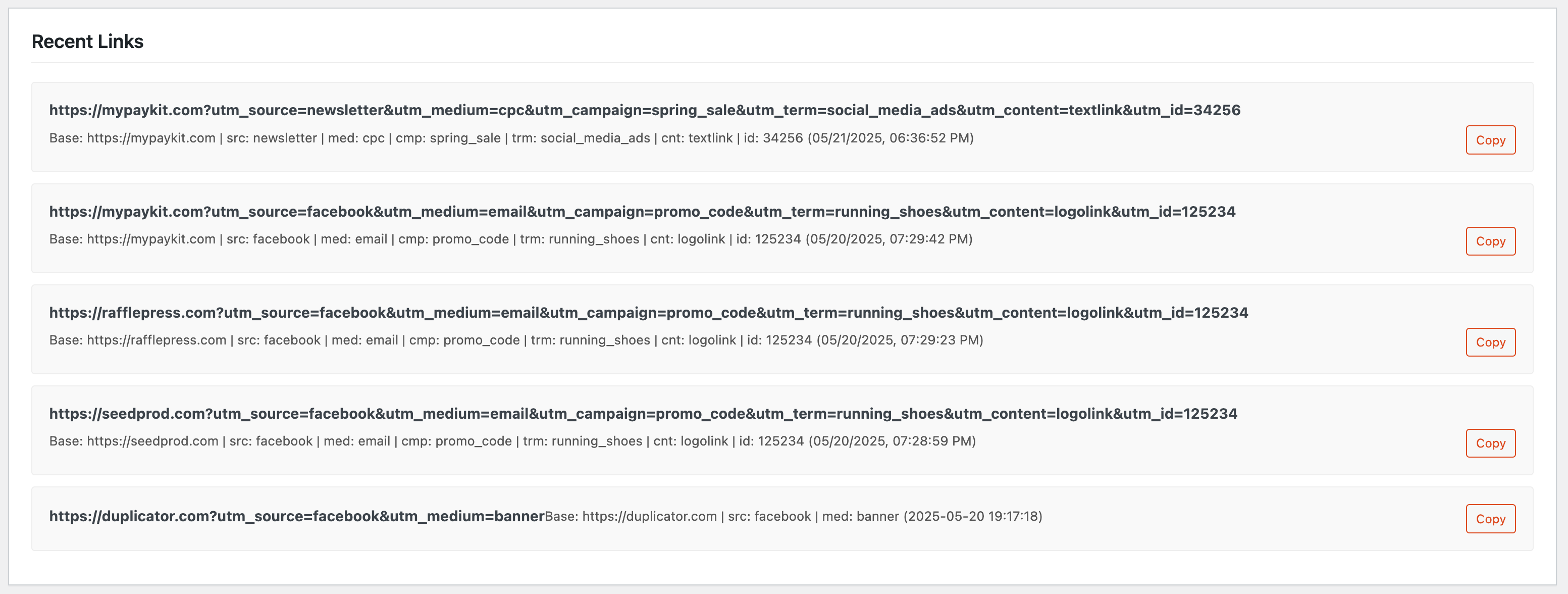
- 💾 Keep a handy history of your 5 most recent UTM links right on the page for quick reuse.
- 🎨 Enjoy a clean, WordPress-native interface.
- 💡 Helpful tooltips to guide you through each parameter.
Stop guessing and start tracking! Simple UTM Builder helps you understand exactly where your traffic is coming from, so you can optimize your marketing efforts and get better results. 📈
✨ Why Choose Simple UTM Builder? ✨
- Easy-to-use Simple UTM Builder form with intuitive interface.
- Complete UTM builder supporting all standard UTM parameters.
- Real-time UTM URL generation and preview.
- One-click “Generate & Copy URL” functionality.
- Recent UTM links history (last 5 links) stored per user.
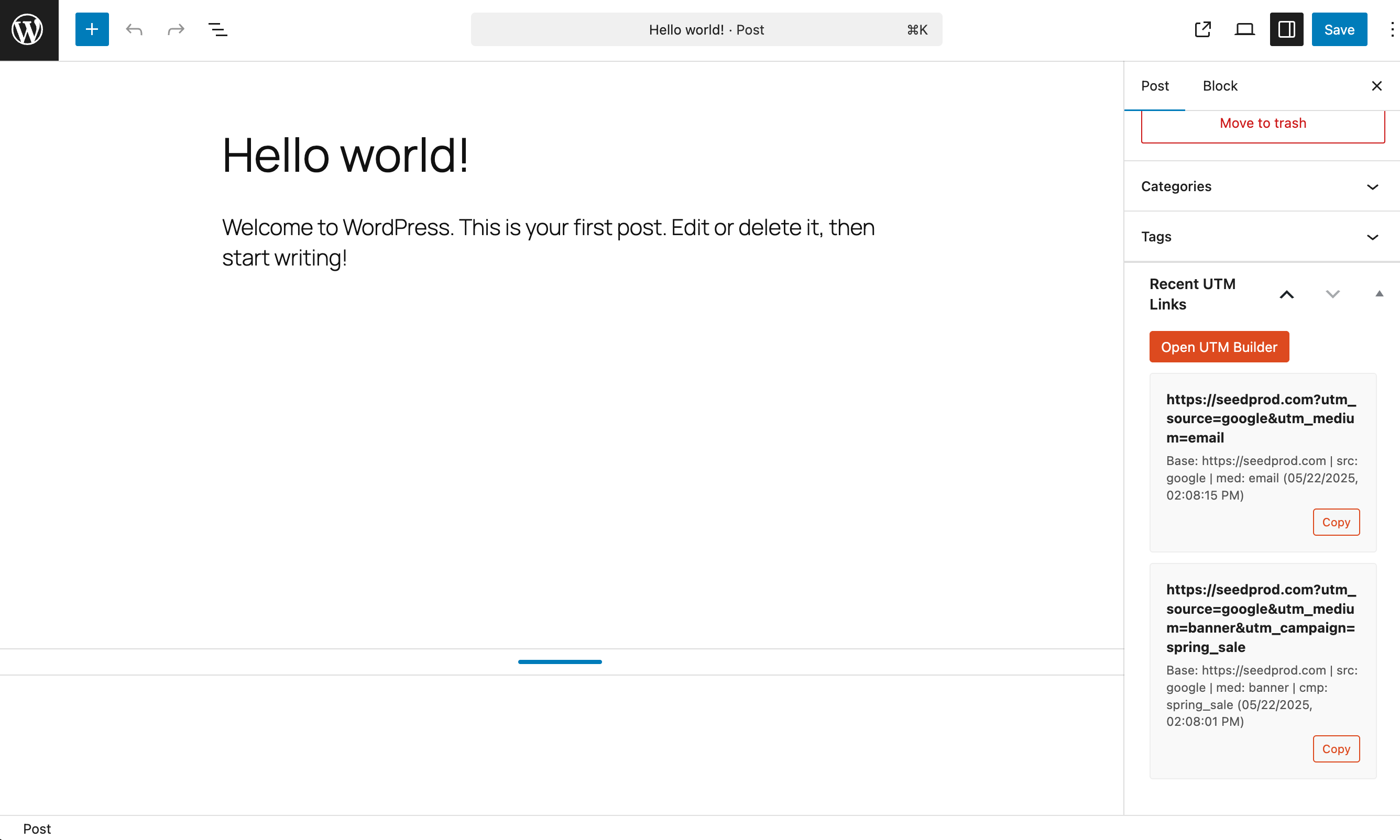
- “Recent UTM Links” sidebar widget inside the post/page editor with one-click copy.
- Clean and modern UI that fits perfectly into WordPress admin.
- Lightweight and efficient Simple UTM Builder! ⚡
Perfect for marketers, bloggers, and any WordPress site owner who wants to track their campaign success with precision using Simple UTM Builder! 🧐
About SeedProd
This plugin is lovingly crafted by the team at SeedProd. We build awesome WordPress plugins to help you create beautiful and effective websites.
Support
For support, please visit seedprod.com/support or email support@seedprod.com.
Screenshots
Installation
Minimum requirements:
- WordPress 5.2 or greater
- PHP version 7.2 or greater
Automatic Installation (Easiest Way! 👍):
- Navigate to the ‘Add New’ in the plugins dashboard (Plugins > Add New).
- Search for ‘Simple UTM Builder’ or ‘UTM Builder’.
- Click ‘Install Now’.
- Activate the plugin through the ‘Plugins’ menu in WordPress.
- Navigate to Tools > “UTM Builder” in your WordPress admin.
- Start building your awesome tracked links with Simple UTM Builder! 🥳
Manual Installation:
- Download the plugin ZIP file from the WordPress.org plugin repository (or from wherever you got it!).
- Upload the
utm-builderfolder to the/wp-content/plugins/directory. - Activate the plugin through the ‘Plugins’ menu in WordPress.
- Go to Tools > “UTM Builder” in your admin menu and start using Simple UTM Builder! 🚀
FAQ
-
🤔 What are UTM parameters and why use a UTM builder?
-
UTM parameters are short text codes that you add to URLs (or links) to help you track the performance of web pages or campaigns. They tell Google Analytics (and other analytics tools) more information about how your visitors are getting to your site. Simple UTM Builder makes creating these tracked links simple and error-free.
-
✨ Which UTM parameters does this UTM builder support?
-
Simple UTM Builder supports all the standard UTM parameters that any professional UTM builder should include:
utm_source(e.g., google, newsletter) – Requiredutm_medium(e.g., cpc, email) – Requiredutm_campaign(e.g., spring_sale)utm_term(e.g., running+shoes) – For paid searchutm_content(e.g., logo_link, text_link) – For A/B testingutm_id(Campaign ID) – To identify a specific campaign run
-
💾 Where is the UTM link history stored?
-
The UTM link history (your last 5 generated links) is stored in your user meta data within your WordPress database. This means it’s specific to your user account and private to each user of the UTM builder.
-
🔒 Is this UTM builder secure?
-
Yes! Our UTM builder follows WordPress best practices, including using nonces for actions and sanitizing inputs. Your link building data is safe and secure.
-
How does this UTM builder compare to Google’s Campaign URL Builder?
-
Unlike Google’s external UTM builder, Simple UTM Builder integrates directly into your WordPress dashboard. You don’t need to leave your site, copy/paste between tools, or manage external bookmarks. Everything happens within your familiar WordPress environment.
-
Can I use this UTM builder for email marketing campaigns?
-
Absolutely! UTM builder is perfect for email marketing. Use utm_source=newsletter, utm_medium=email, and utm_campaign=your-campaign-name to track email performance in Google Analytics. This UTM builder makes it easy to generate consistent email tracking links.
-
Does this UTM builder work with Google Analytics 4 (GA4)?
-
Yes! This UTM builder generates standard UTM parameters that work perfectly with Google Analytics 4 (GA4), Universal Analytics, and other analytics platforms. The UTM codes created by this UTM builder are universally compatible.
-
Use this UTM builder to create social media tracking links by setting utm_source=facebook (or twitter, instagram, etc.), utm_medium=social, and utm_campaign=your-campaign-name. This UTM builder helps you identify which social platforms drive the most traffic.
-
Can I use this UTM builder for affiliate marketing?
-
Yes! This UTM builder is excellent for affiliate marketing. Use utm_source=affiliate-network-name, utm_medium=affiliate, and utm_campaign=product-name to track affiliate performance. The UTM builder helps you identify your best-performing affiliate campaigns.
-
Does this UTM builder support bulk URL generation?
-
Currently, this UTM builder focuses on individual URL generation with a streamlined interface. However, the recent links history feature in this UTM builder allows you to quickly reuse parameters for similar campaigns.
-
Is this UTM builder GDPR compliant?
-
Yes! This UTM builder doesn’t collect or store personal data. All UTM parameters are standard URL parameters that work with your existing analytics setup. The UTM builder stores only your recent links locally in your WordPress user account.
-
Can I customize the UTM parameters in this UTM builder?
-
This UTM builder supports all standard UTM parameters (source, medium, campaign, term, content, id). While you can’t add custom parameters, these cover 99% of tracking needs. The UTM builder ensures compatibility with all major analytics platforms.
-
Does this UTM builder work with WooCommerce?
-
Yes! This UTM builder works perfectly with WooCommerce. Use it to track which campaigns drive sales by creating UTM-tagged links to your products. The UTM builder helps you identify your most profitable marketing channels.
-
Can I suggest a feature for Simple UTM Builder or report a bug? 🐞
-
Absolutely! Please create a topic in the support forum on WordPress.org. We’d love to hear from you and make Simple UTM Builder the best UTM builder for WordPress!
Reviews
There are no reviews for this plugin.
Contributors & Developers
“Simple UTM Builder” is open source software. The following people have contributed to this plugin.
Contributors

“Simple UTM Builder” has been translated into 1 locale. Thank you to the translators for their contributions.
Translate “Simple UTM Builder” into your language.
Interested in development?
Browse the code, check out the SVN repository, or subscribe to the development log by RSS.
Changelog
1.0.2
- New: The Website URL field starts filled in with your site’s address.
- New: The “Open UTM Builder” button in the post and page editor opens the builder with that page’s link.
- Improved: Editors can now open the UTM Builder page, not only administrators.
- Improved: All builder messages can now be translated.
- Fixed: The “Base” URL now shows in the Recent Links list.
- Fixed: Uninstall no longer clears the whole object cache.
- Removed: An unused form handler.
- Tested with WordPress 7.1.
1.0.1
- Added uninstall handler for proper cleanup when plugin is deleted.
- Fixed redirect URL after form submission.
- Improved timestamp handling with proper timezone support.
- Added script double-load prevention for better performance.
- Improved responsive layout with better mobile support.
1.0.0
- 🎉 Initial Release! Woohoo!
- Core Simple UTM Builder functionality with complete UTM parameter capabilities.
- Client-side URL generation and copy.
- UTM link history saved via AJAX to user meta (last 5 links).
- Admin page with Simple UTM Builder form and history display.
- Basic styling and responsive layout.