

Description
TackQuote: Request a Quote & B2B Wholesale for WooCommerce adds Request a Quote and Add to Quote buttons, a quote list and a quote page to your store, so trade buyers can ask for a price on the exact products and quantities they need instead of checking out. Approved wholesale customers see their own prices, volume tables and order limits, can apply for net terms and pay with a purchase order, and pay an accepted quote at your normal checkout at the quoted prices. Quotes are managed in your TackQuote account (a free plan is available).
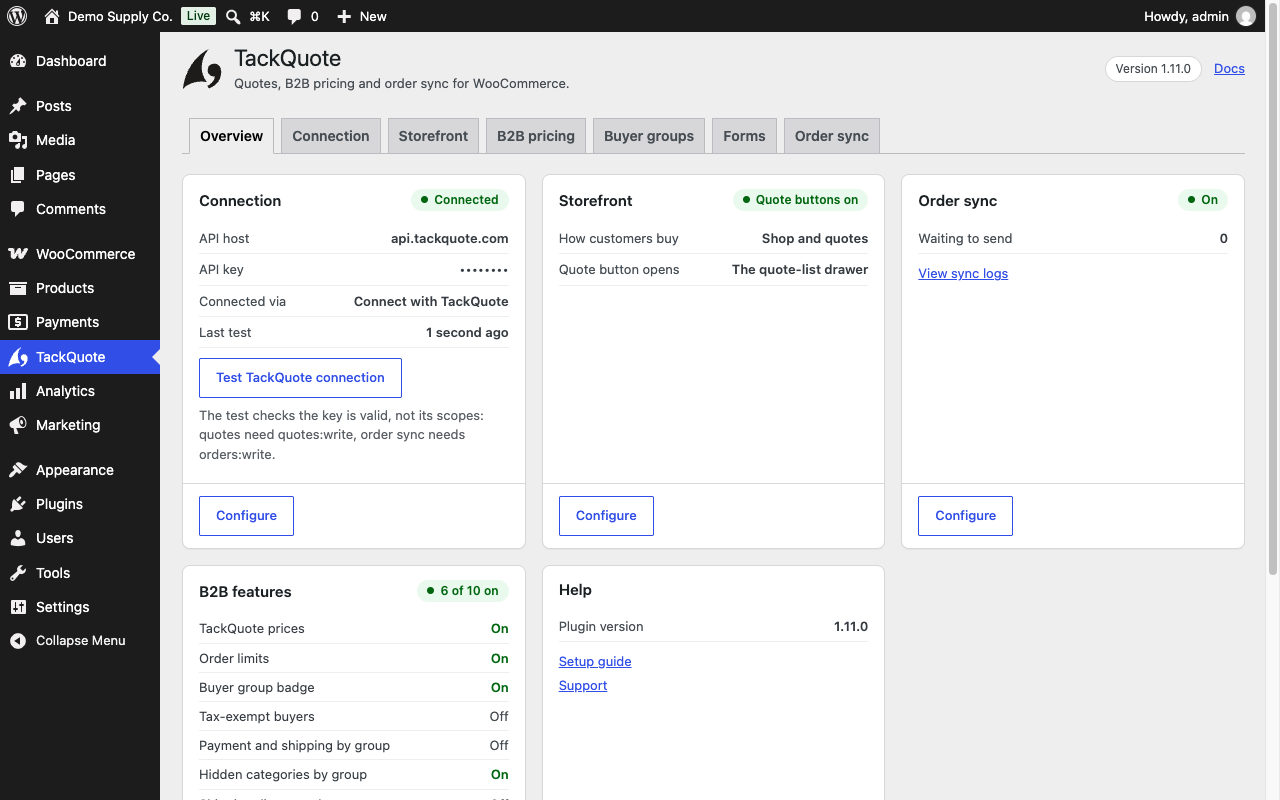
Setup is one button: press Connect with TackQuote, sign in or create an account, and approve. Pasting an API key still works.
Learn more about the WooCommerce integration · Create a free TackQuote account
Features
- Add to Quote and Request a Quote buttons on product pages, product cards and the cart.
- A floating quote list with Checkout as Quote, a quote page with target prices, and your own quote request form designed in TackQuote.
- Quick order by SKU, to the cart or the quote list.
- Quote-only mode for the whole store, signed-out visitors, chosen roles or all but approved wholesale accounts, or per product.
- B2B pricing (account prices, volume tables), order limits, a buyer-group badge and tax-exempt buyers.
- Per buyer group: hidden product categories, free or discounted shipping, an optional WordPress role.
- Wholesale and net-terms application forms, and a Net terms payment method with an optional PO number.
- Accepted quote checkout at the quoted prices.
- Optional one-way order sync, off by default and queued so it never runs inside checkout; with one more approval, TackQuote’s catalogue and order sync through a WooCommerce REST API key.
- TackQuote inside WooCommerce admin, each person signed in as themselves.
- Works with HPOS, the Cart and Checkout blocks, and block and classic themes. Storefront text in English and seven more languages.
The FAQ lists exactly what the plugin sends and stores.
What it does not do
- It does not replace WooCommerce checkout or act as a full CPQ workspace.
- The plugin’s own order sync is one-way, WooCommerce to TackQuote. Catalogue, stock and orders written back come only from catalogue and order sync, which needs your approval in WooCommerce.
- Failed syncs are logged (WooCommerce Status Logs, source
tackquote) and never block checkout.
Source code: github.com/tackquote/woocommerce.
External services
This plugin connects to the TackQuote API, a third-party B2B quoting service operated by
TackQuote, to send quote requests that shoppers submit on your store and — only if you
switch it on — to send data about orders placed in your store.
The service is required for the plugin to work. Until the store is connected, quote requests
cannot be sent: the shopper is told so and the Connection tab shows why. Nothing is sent anywhere
until you enter an API key or press Connect with TackQuote.
All requests go to the API base URL set under TackQuote TackQuote API URL, which is
https://api.tackquote.com/v1 unless your TackQuote support contact gave you a different
one. Every request (except the two Connect with TackQuote calls in item 12, made before the
store has a key) carries your TackQuote API key so the service can identify your account,
and (since 1.10.0) headers naming this plugin’s version (X-TackQuote-Plugin-Version) and the
store’s address (X-TackQuote-Site-Url), so TackQuote can tell which build and store sent it. The API key needs the buyers:write scope for
the two application forms below; the read-only storefront lookups need no extra scope.
-
Connection test —
GET /integrations/woocommerce/ping; on 404,GET /health(key unverified).
Sent when an administrator clicks “Test TackQuote connection”, at most daily from the storefront
for item 11, and since 1.12.0 at most every ten minutes in the background (never during a
shopper’s request), once more to confirm a refused key, and once on deactivation. Sends your API key and the store’s address; since 1.12.0, to a TackQuote server that asks for them, also the site name, the WordPress time zone, the WooCommerce currency and the store base address (WooCommerce Settings General). No order or customer data. -
Quote form field policy —
GET /integrations/woocommerce/registration-config.
Sent on storefront page views while quote buttons are on, at most every 15 minutes. Your API key and the store’s address. -
Quote request —
POST /integrations/woocommerce/quote-requests.
Sent when a shopper submits the quote form. Sends what that shopper typed
into the form, plus the products being quoted: email address, first and last name, phone
number if given, company name and any company details the seller’s registration policy
requires (legal name, tax/VAT ID, registration number, website, address, city, state, postal
code, country, company phone, industry, employee count), the free-text note if written, and
for each requested product its name, SKU, quantity, unit price excluding tax, WooCommerce
product ID (since 1.12.0, a variation as<product ID>_<variation ID>on a server that supports it) and any target price, together with the store’s currency code. Since 1.12.0, when
the quote modal shows the form you designed in TackQuote, it sends that form’s answers instead
(what the shopper typed into each of your fields, and the upload ids of any files) together with
the form version shown, and the same products. -
Order sync —
POST /integrations/woocommerce/order-sync. Off by default.
Sent when an order is created and each time its status changes, but only if the merchant has
switched on “Sync orders to TackQuote”. Sends the whole order: the customer’s billing and
shipping addresses, email address and phone numbers, WooCommerce customer ID, their order
note, the order ID, number and status, currency and totals, coupon codes, timestamps, the
payment method ID and title, the payment gateway’s transaction ID, and every line item with
its name, SKU, product and variation IDs, quantities, totals, taxes and item meta. No card
numbers, no card details and no gateway credentials are ever sent. The Privacy section
below lists every field individually. -
B2B pricing, order limits and buyer group —
POST /storefront-pricing/resolve(cart
prices),GET /storefront/v1/wholesale-price,GET /storefront/v1/quantity-breaks,
GET /storefront/v1/order-limits andGET /storefront/v1/buyer-group, falling back to the
olderGET /storefront-b2b/order-limitsandGET /storefront-b2b/buyer-groupon a TackQuote
server without the/storefront/v1routes. Only when the merchant has switched on B2B pricing,
order limits, the buyer-group badge, any buyer-group rule or tax-exempt buyers. Sent while
customers browse (order limits also for guests). Sends the product SKU and quantity and, for
a signed-in customer, their email address and WordPress user ID (digits only). -
Wholesale application —
GET /integrations/woocommerce/wholesale-form(the form’s
fields, by form slug; sends no customer data) andPOST /integrations/woocommerce/wholesale-form/submit.
Sent when a page with the[tackquote_wholesale_application]shortcode or the “Wholesale account”
My Account tab is viewed, and when a shopper submits that form. Sends the answers the shopper
typed into the seller’s form (for example company name, email, phone, address, tax ID) and,
for a signed-in customer, their WordPress user ID aswooCustomerId. An application that carries
files is sent instead toPOST /storefront/v1/wholesale-signup/<slug>with the same
answers, the signed-in customer’s account email address and WordPress user ID
(buyerEmail,buyerExternalId), and the upload IDs of item 11. -
Net-terms application —
POST /storefront/v1/credit-application, falling back to
POST /integrations/woocommerce/credit-application on an older TackQuote server. Signed-in
customers only, when they submit the “Net terms” form. Sends the account’s email address, the
WordPress user ID (in the query, v1 route only), and what the customer typed: legal business
name, contact phone, tax/VAT ID, billing address, requested credit limit, requested payment
terms, up to three trade references (company, contact name, email, phone) and notes. -
Wholesale price gate and Wholesale account tab —
GET /storefront/v1/price-access. Off by default.
Sent only when the merchant chose the quote-only scope “Everyone except approved wholesale
accounts”, or (since 1.11.0) when a signed-in customer opens the “Wholesale account” My Account
tab or a page with the[tackquote_wholesale_application]shortcode, and only for a signed-in customer, at most once every five minutes per customer
(one minute after a failure). Sends that customer’s account email address and their
WordPress user ID (buyerEmail,buyerExternalId). TackQuote answers whether that buyer’s
wholesale application is approved. Nothing is sent for a signed-out visitor. -
Net terms —
GET /storefront/v1/net-terms. Sent for a signed-in customer at checkout
while the “Net terms (TackQuote)” payment method is enabled (off by default), and when a
signed-in customer views the “Net terms” My Account tab or the[tackquote_net_terms_application]
shortcode (the tab is off by default), to show their terms or a pending application instead of
the form. Sends the account email and WordPress user ID. One answer per customer is reused for
up to a minute. Fails closed: without an answer, checkout hides the method and the tab shows
the application form. -
Accepted quote checkout —
GET /integrations/woocommerce/quote-checkout/<token>, when a
buyer opens a TackQuote checkout link (?tackquote_checkout=) on your store. Sends only the
link’s single-use token and your API key. -
Attachments —
POST /storefront/v1/quote-uploadand
POST /storefront/v1/wholesale-upload. Quote-request files only when the merchant switched on
“Allow attachments on quote requests” (off by default); wholesale-application files only for a
signed-in customer; both only when the TackQuote server’s connection check (ping) lists
attachments. Sent when a shopper attaches a file. Sends the file’s bytes (a PDF, JPEG or PNG of
at most 5 MB, checked on your store first) and its file name, plus, for a signed-in customer, the
account email address and WordPress user ID (buyerEmail,buyerExternalId); for a wholesale
form also the form slug and field key. A guest’s quote files carry no identity, only the
single-use upload token TackQuote issues. Files are streamed from your server and never stored
on your site. The quote request then sends the upload IDs (uploadIds) and, for a guest, the
token (uploadToken). TackQuote deletes a file that was never attached to a request after 24
hours (quote files) or 7 days (application files); attached files are kept with the quote or
application for the seller. -
Connect with TackQuote (since 1.11.0) —
POST /woocommerce-connect/requestsand
POST /woocommerce-connect/exchange. Sent only when an administrator presses “Connect with
TackQuote” on the Connection tab, and carry no API key. The first sends your store’s address
(home_url()), its WordPress admin address, the return address on your own site
(wp-admin/admin-post.php?action=tackquote_connect_return), the site name, the plugin,
WordPress and WooCommerce versions, the site language, a random value signed by your site,
and a one-way code challenge (SHA-256 of a secret that stays on your site). No customer,
order or product data. Your browser then signs in to TackQuote (or creates an account),
approves or cancels, and returns to your site with a one-time code. The second call sends
that code, the secret behind the code challenge, and your store’s address, and TackQuote
answers once with an API key, which is stored exactly like a pasted one. -
Revoke a Connect key (since 1.11.0) —
POST /integrations/woocommerce/plugin-key/revoke.
Sent only when an administrator presses “Remove saved API key” and the saved key came from
Connect with TackQuote. Sends that key (to say which key to revoke) and nothing else. A key you
pasted is never revoked: it is only deleted from your site. -
Your quote request form (since 1.12.0) —
GET /storefront/v1/quote-form?locale=.
Sent on storefront page views while quote buttons are on and TackQuote’s connection test
listsquote-form, at most every five minutes per language. Sends your API key and the
visitor’s language only: no customer data.
Quick order (since 1.12.0) sends nothing to TackQuote: SKUs are matched in your own catalogue.
-
Catalogue and order sync (since 1.12.0, needs a TackQuote server that offers it) —
POST /integrations/woocommerce/rest-keys/authorize andGET /integrations/woocommerce/rest-keys/status.
Sent on “Allow catalogue and order sync”, or right after Connect with TackQuote. The first call sends your site’swp-admin/admin-post.phpaddress, and your browser
opens WooCommerce’s own approval screen. If you approve, WooCommerce itself creates a
Read/Write REST API key and sends it to TackQuote directly; this plugin never sees it. The
status call sends nothing but the headers above. TackQuote then uses that key to read your
products, stock and categories, register store webhooks and write orders back; you can revoke it
under WooCommerce Settings Advanced REST API at any time; deleting this plugin deletes it once
TackQuote confirms it let go of it. -
Plugin deactivated or deleted (since 1.12.0) —
POST /integrations/woocommerce/plugin-lifecycle.
Sent once when the plugin is deactivated or deleted (not when WordPress updates it), so TackQuote
pauses a connection that runs through the plugin only. Sendsdeactivatedoruninstalledand the
headers above. -
Update check of the zip from the TackQuote website (since 1.12.0; not in the WordPress.org
build) —GET https://api.github.com/repos/tackquote/woocommerce/releases/latest, at most every
twelve hours, by WordPress’s own update check. Sends nothing about your store beyond the plugin
version in the User-Agent. The update itself downloadstackquote.zip
from the TackQuote GitHub release. GitHub privacy statement:
https://docs.github.com/site-policy/privacy-policies/github-general-privacy-statement -
TackQuote inside WooCommerce admin (since 1.12.0, needs a TackQuote server that offers it) —
POST /integrations/woocommerce/embed/open,POST /integrations/woocommerce/embed/claimand
POST /integrations/woocommerce/embed/unlink. Sent only when a user who can manage WooCommerce opens
WooCommerce TackQuote or presses its buttons. Sends that user’s WordPress user ID, a random secret
kept in their user meta and, to open,purpose(framein the page ortabfor a new tab); linking
also sends the one-time code they typed and their login name. No customer or order data.
This plugin sends data to no other external service.
The TackQuote service is provided by TackQuote. By using this plugin you agree to their
terms. Please review them before entering an API key:
- Terms of Service: https://tackquote.com/terms
- Privacy Policy: https://tackquote.com/privacy
Privacy
This plugin sends data to TackQuote, a third-party service, over HTTPS. It sends nothing anywhere else, and it never sends payment card data.
Where data is sent
To the TackQuote API base URL set under TackQuote TackQuote API URL: https://api.tackquote.com/v1 unless your TackQuote support contact gave you another one. External services above lists every endpoint the plugin calls, when it calls it and exactly what it sends, and the headers every request carries. The B2B features call TackQuote only when you switch them on, and order sync is off by default.
The full lists
Every field the plugin sends, and everything it stores on your site and deletes on uninstall, is listed in the FAQ below.
If you are a merchant in the EU, UK or another jurisdiction with a transfer regime
Order sync sends personal data about your customers to TackQuote, which makes
TackQuote a processor acting on your instructions. That is why it ships switched
off. Before you
enable it, satisfy yourself that you have a lawful basis and, where required, a data
processing agreement in place with TackQuote. Your own privacy policy should name
TackQuote as a recipient; the plugin adds suggested wording to
Settings Privacy Policy guide, listing the same fields, for you to review and adapt.
Screenshots


![The quote page from the [tackquote_quote_page] shortcode takes target prices and a message, and the request form can carry attachments.](https://ps.w.org/tackquote/assets/screenshot-4.png?rev=3738377)
[tackquote_quote_page] shortcode takes target prices and a message, and the request form can carry attachments.




Installation
WooCommerce must be installed and active first, and you need a TackQuote account — create one here if you do not have one yet.
Install
- In WP Admin go to Plugins Add New, search for TackQuote, and click Install Now.
- Activate TackQuote: Request a Quote & B2B Wholesale for WooCommerce.
- Open TackQuote in the admin menu.
- On the Connection tab press Connect with TackQuote, sign in to TackQuote (or create an account) and approve; you come back to the Connection tab connected. Or paste your TackQuote API Key (TackQuote Settings Developer API Keys) and save. Leave the API URL as the default unless support gives you another base URL.
- Work down the numbered sections in order — they are arranged as a setup sequence, and each one only depends on the ones above it. Then click Save TackQuote settings.
- Click Test TackQuote connection to verify (Connect with TackQuote runs this test for you).
Before you enter an API key, read the External services section above: the plugin cannot create quotes without sending data to the TackQuote API.
Manual install
- Download
tackquote.zipfrom the releases page, or build it from source withbash bin/build.sh. - In WP Admin go to Plugins Add New Upload Plugin, upload the ZIP, and choose Replace current with uploaded if an older copy is already installed.
- Activate, then follow steps 3–6 above.
- Your API key and toggles are stored as WordPress options and are preserved across updates.
FAQ
-
Where do I get an API key?
-
You may not need one: press Connect with TackQuote on the plugin’s Connection tab, sign in and approve, and TackQuote creates a key for this store and sends it back to your site directly. To paste one by hand instead, in TackQuote go to Settings Developer API Keys.
-
Does Connect with TackQuote work on a local or staging site?
-
It needs your site to use https. A development address (such as a
.testname or a private IP) may use plain http. Other http sites can paste an API key instead. -
Does it work with High-Performance Order Storage (HPOS)?
-
Yes. The plugin declares HPOS (
custom_order_tables) compatibility via WooCommerceFeaturesUtiland uses the WooCommerce order CRUD APIs (wc_get_order, order status hooks) rather than directwp_postsorder queries. You can run with HPOS enabled. -
Is order sync bidirectional?
-
No. Sync is one-way: WooCommerce TackQuote on order create and status change. Turning the toggle off stops new pushes; it does not delete data already in TackQuote.
-
My store collects a purchase-order number at checkout. Can it be synced?
-
Yes, with one line of code. WooCommerce core has no purchase-order field, and there is no
meta key this plugin could guess that would be right for every B2B extension — a guess that
looks correct and silently returns nothing is worse than an empty field. So the value is
read through a filter your theme or a small site plugin fills in:add_filter( 'tack_quotes_order_po_number', function ( $po, $order ) { return $order->get_meta( '_my_checkout_po_field' ); }, 10, 2 );Replace
_my_checkout_po_fieldwith the meta key your checkout writes. Without this filter
nothing is sent and TackQuote records no purchase-order number. -
No, and no. “Add to Quote” adds the product to a separate, browser-side quote list — it never touches the WooCommerce cart, stock, or totals. “Checkout as Quote” creates a quote request in TackQuote from that list’s contents. Customers can still shop and check out through WooCommerce completely normally, at the same time, with no interaction between the two.
-
Why doesn’t “Add to Quote” send a quote request immediately?
-
So shoppers can add multiple products before requesting one combined quote. Use the floating “Quote list” button (bottom-right) once you’ve added everything you want quoted, then click “Checkout as Quote”.
-
Can shoppers start a quote from the shop page or the cart?
-
Yes, since 1.10.0, and both are off until you switch them on under TackQuote Storefront. “Product cards” adds “Add to Quote” to every simple product in the shop, category and search lists and (since 1.12.0) in product grids built with blocks, such as a Product Collection on your home page or related products; variable, grouped and external products link to their page instead, because a card cannot say which variation is wanted. “Cart page” adds “Request a quote for your cart” under Proceed to checkout on the classic cart, and (since 1.12.0) inside the Cart block, below the totals and above Proceed to checkout. It copies the cart into the quote list and leaves the WooCommerce cart as it was.
-
Is there a quick order form?
-
Yes, since 1.12.0. Put the shortcode
[tackquote_quick_order]or the “TackQuote quick order” block on a page. Buyers type SKUs and quantities, or paste a list with one SKU and quantity per line, press “Check items”, and then choose “Add to cart” or your “Add to Quote” label. SKUs are matched in your own catalogue; a variable product’s own SKU asks the buyer to choose options on its page, and a variation’s SKU is added as that variation. “Add to cart” uses WooCommerce’s own add-to-cart rules, so quote-only products are offered for the quote list only. -
Can I use the quote request form I designed in TackQuote?
-
Yes, since 1.12.0, when your TackQuote server supports it: the quote modal then shows the form you designed in TackQuote (fields, conditional fields, files, dates on your calendar) instead of the built-in one. Nothing to switch on. If you never designed one, the built-in form stays. A form with a required file field needs Allow attachments on quote requests on; otherwise the built-in form is shown and the reason is written to the WooCommerce log.
-
How do I make a single product quote-only?
-
Edit the product and tick Quote only in the General tab of the product data panel. Add to Cart disappears for that product (and for every variation of a variable product), a hand-made
?add-to-cart=link and the Cart/Checkout blocks refuse it too, and a cart that already held it loses that line with a notice. Unlike the store-wide mode, this applies to shop managers as well, so your own test sees what customers see. -
Can I keep the cart for approved wholesale customers only?
-
Yes. Turn on quote-only mode and choose “Everyone except approved wholesale accounts”. The plugin asks TackQuote whether the signed-in customer’s wholesale application is approved, and only then shows the cart. If TackQuote cannot be reached, the customer sees the quote-only catalogue (this one check fails closed, because it is a price gate). It needs the API key.
-
Which features need a linked account?
-
Prices, quantity breaks, order limits, the buyer-group badge and the price gate follow the customer’s account email. Net terms, tax exemption and credit standing go only to customers the seller has linked to a TackQuote buyer: approving the customer’s wholesale application or their net-terms application sent from this store links them (both carry the WordPress user id since 1.10.0), or the seller links the WordPress user under Buyers buyer WooCommerce customer in TackQuote. A matching email alone never links one, because WooCommerce does not verify the email at registration. If the email belongs to a buyer already linked to a different WordPress user, that customer gets none of these B2B features.
-
Where do target prices on the quote page go?
-
To the quote line, where the seller sees “Buyer asked for …” beside your store price, which the quote keeps. A TackQuote server older than the attachments feature cannot take the field, so there they go into the request’s note instead, one line per product (“Target prices: …”), after the shopper’s own message.
-
Can I change how it looks?
-
It takes your theme’s look by default: every button is your theme’s button (so Site Editor > Styles > Blocks/Elements > Button restyles them), fields and tables use WooCommerce’s classes, and the drawer and quote form use your theme’s colours and fonts. Under TackQuote Storefront Styling you can pick an accent colour for the quote buttons and launcher, or tick “Use the theme’s styles only” to load layout rules alone. For finer changes, set CSS variables in Appearance > Customize > Additional CSS or the Site Editor’s custom CSS, for example
:root { --tackquote-radius: 0; --tackquote-drawer-width: 26rem; }(also--tackquote-accent,--tackquote-surface,--tackquote-text,--tackquote-border,--tackquote-shadow,--tackquote-z-index,--tackquote-launcher-offset-x/-y). Developers can copy any file from the plugin’stemplates/tackquote/folder (quote page, quote list drawer, volume table, wholesale and net-terms forms) intoyourtheme/woocommerce/tackquote/and edit it there, as with WooCommerce’s own templates, and use the filterstackquote_button_label,tackquote_button_classes,tackquote_theme_styles_only,tackquote_quote_page_args,tackquote_quote_list_drawer_args,tackquote_quantity_breaks_argsandtackquote_storefront_form_args. The full list is indocs/CUSTOMISATION.mdin the plugin’s GitHub repository. A theme that overrides WooCommerce’s grouped product template (single-product/add-to-cart/grouped.php) must keep its hiddenadd-to-cartinput and thequantity[<product ID>]fields: the quote buttons find a grouped product’s form and quantities through them. -
Which languages does it ship in?
-
English, plus German, Spanish, French, Italian, Japanese, Dutch and Brazilian Portuguese for the storefront text, in
languages/(machine-assisted from the TackQuote storefront catalogue; Italian awaits native review). A translate.wordpress.org language pack, when one exists, replaces the bundled file. -
What does a quote request send?
-
Sent when a shopper submits the quote form, using only what they typed into it:
- Email address
- First name, last name
- Phone number (if provided)
- Company name, and any company fields the seller’s registration policy requires (for example legal name, tax/VAT ID, registration number, address, city, state, postal code, country, company phone, industry, employee count)
- The free-text note, if written (capped at 2,000 characters). On a TackQuote server older than the attachments feature, any target prices the shopper typed on the quote page are added to the note, one line per product
- The requested products: name, SKU, quantity, unit price excluding tax, the WooCommerce product ID and, from the quote page, the target price if the shopper typed one
- The store’s currency code
- Attachments (only when “Allow attachments on quote requests” is on): each attached file’s bytes and file name, sent before the request to
/storefront/v1/quote-upload, with the signed-in customer’s account email address and WordPress user ID, or for a guest a single-use upload token; the request then carries the upload IDs and the guest token. Files are never stored on your site
-
What do the B2B lookups and application forms send?
-
- B2B lookups: the product SKU and quantity, the signed-in customer’s email address, and their WordPress user ID (a number, sent only beside the email and only while they are signed in).
- Wholesale application: exactly the answers the shopper typed into the seller’s form, plus the WordPress user ID (
wooCustomerId) when they are signed in. Files (signed-in customers only, when the TackQuote server supports attachments): each file’s bytes and name, the form slug and field key, the account email address and WordPress user ID; the application then goes to/storefront/v1/wholesale-signup/<slug>with the same answers and the upload IDs. - Net-terms application: the account’s own email address (never a typed one), the WordPress user ID, and the legal business name, phone, tax/VAT ID, billing address, requested limit and terms, up to three trade references and notes the customer typed.
-
What does order sync send?
-
Sent for each order when it is created and when its status changes, if the merchant
has enabled Sync orders to TackQuote. This is the whole order. Read this list
before switching order sync on.The customer’s identity and addresses
- Billing address in full: first name, last name, company, street (both lines), city, state or county, postal code, country, email address and phone number
- Shipping address in full: the same fields, including shipping phone where WooCommerce holds one
- The WooCommerce customer ID, or
0for a guest order - The customer’s order note, as they wrote it
The order
- WooCommerce order ID, order number and status
- Currency, item subtotal, discount total, shipping total, tax total and order total
- Coupon codes applied
- A purchase-order number, from the optional checkout field (off by default) or the
tack_quotes_order_po_numberfilter - The quote reference, for an order placed through a quote checkout link
- Created, last-modified, paid and completed timestamps
- An idempotency key, so a repeated delivery of the same order state can be discarded
Payment
- Payment method ID and its display title (for example
stripe/ “Credit Card”) - The gateway transaction ID, where the gateway recorded one
- Whether the order still needs payment, and when it was paid
No card numbers, no card details, and no gateway credentials are ever sent. The
transaction ID is a reference the gateway issued, not an instrument.Line items
- Product name, SKU, WooCommerce product ID and variation ID
- Quantity, line subtotal, line total and line tax
- Item meta — the variation attributes and any custom item fields your store records on a line (for example “Size: Large”, “Colour: Blue”). If your checkout writes customer-supplied text onto a line item, it is included here
- Shipping lines: method title and cost. Fee lines: name and amount
-
What does the plugin store on my site, and what does deleting it remove?
-
- Plugin settings, as WordPress options: the TackQuote API key, API URL, button labels, and the feature toggles.
tack_quotes_connect_secret— a random value, created the first time Connect with TackQuote is pressed, that signs the connect request so this site can recognise the answer. Never sent anywhere.tack_quotes_connected_via(connectorkey) andtack_quotes_connected_atrecord how and when the saved key arrived.tack_quotes_connect_<hash>— a 15-minute transient holding one pending Connect with TackQuote (the code verifier, a hash of the signed value, the administrator’s user ID and TackQuote’s request ID), deleted when the administrator comes back.tack_quotes_connect_notice_<user id>— a 5-minute transient carrying the outcome to the settings page.tack_quotes_registration_config— a transient caching the quote-form field policy for 15 minutes.tack_qr_*— short-lived transients counting quote requests per visitor for rate limiting. They hold a salted hash of the visitor’s IP address, never the address itself, and expire after 5 minutes.tack_quotes_wholesale_form_cache— a transient caching wholesale form definitions for 5 minutes (60 seconds after a failure).tack_quotes_storefront_v1_missing— a transient remembering for one hour that the TackQuote server has no/storefront/v1routes.tack_quotes_wholesale_form_missing— a transient listing, for one day, the wholesale form slugs already logged as matching no form, so the log gets one line a day per slug.tack_quotes_server_capabilities— a transient caching, for one day (ten minutes after a failed check), which optional features the TackQuote server advertises (for exampleattachments) and a 16-character SHA-256 prefix of the key it was read with (never the key).tack_qu_*,tack_qf_*,tack_qc_*— ten-minute transients counting attachment uploads, applications and checkout links per visitor for rate limiting, keyed on a salted hash of the IP address, never the address. Each counter also has a…stwin for the connecting address, which a client cannot forge. Attached files themselves are never written to your site: PHP’s temporary copy is deleted as soon as the file has been sent.tack_quotes_storefront_failure— a transient remembering, for one day, why TackQuote did not take a shopper’s quote request when the reason is the store’s to fix (the HTTP status, TackQuote’s error code and message, and a 16-character SHA-256 prefix of the key, never the key), for the administrators’ notice. Cleared when a quote request or a connection check succeeds.tack_quotes_connection_check— a transient remembering for one day whether the settings page’s last “Test connection” passed, when, the message shown, and a 16-character SHA-256 prefix of the key that was tested (never the key itself). It lets the Overview say “Connected” only for the key saved now.tack_sf_*— two-minute transients carrying an application form’s outcome (success or error text and what was typed, except phone numbers and tax, VAT or registration numbers, for refilling the form) back to the page after it is submitted. Read once and deleted.tack_quotes_vat_exempt_applied— a WooCommerce session value remembering that this plugin set the customer tax exempt, so the exemption can be withdrawn. Never saved to the customer record.- Net terms:
tack_nt_<user id>(TackQuote’s answer, one minute), order meta_tackquote_net_termsand_tackquote_po_number, optionwoocommerce_tackquote_net_terms_settings. - Quote checkout: session value
tackquote_quote_checkout, order meta_tackquote_quote_refand_tackquote_quote_number. _tack_quotes_sync_key— order meta recording which order state was last accepted by TackQuote, so the same state is not sent twice.- Since 1.12.0:
tack_quotes_standing— an option recording whether TackQuote still accepts this store’s key (state, reason, a 16-character SHA-256 prefix of the key, never the key, and when it was checked), refreshed by the WP-Cron hooktackquote_refresh_standing;tack_quotes_wc_rest_key_id— WooCommerce’s own id of the REST API key approved for TackQuote’s catalogue and order sync (never the key). - Since 1.12.0, transients:
tack_quotes_quote_form_cache(your quote request form, five minutes, served up to 30 minutes longer while one request refreshes it, one minute after a failure);tack_quotes_qf_refresh_*(a 30-second lock so only one request refreshes it);tack_quotes_quote_form_file_fallback(one day, so the log notes once that the built-in form was shown);tack_quotes_rest_keys_status(the catalogue and order sync status, five minutes); the site transienttack_quotes_github_release(the latest GitHub release of the plugin, twelve hours, one hour after a failure; only in the zip from the TackQuote website);tack_qo_*andtack_qa_*(quick-order rate limits per visitor, five minutes, keyed on a salted hash of the IP address, never the address). -
Since 1.12.0: user meta
_tackquote_embed_secret— a random per-user secret for TackQuote inside WooCommerce admin, sent only to TackQuote, server to server. -
User meta
_tack_known_email(a copy of the account email),_tack_email_unverified,_tack_mirrored_roles,_tack_role_mirror_checked,_tack_wholesale_applied(when a wholesale application sent from the store was answered “pending”); product meta_tackquote_quote_only. Tools Export/Erase Personal Data covers the user meta, and WooCommerce’s order export covers the order meta above. Erasure deletes only the purchase-order number, and only when WooCommerce’s “Remove personal data from orders on request” is on; the quote reference, quote number and net terms are business records and stay.
Deleting the plugin removes every option above, the fixed-name transients (and the site transient), the user meta, the product meta, queued order-sync jobs and the
tackquote_refresh_standingschedule, on every site of a multisite network. It also deletes the WooCommerce REST API key approved for TackQuote, but only when TackQuote confirms it let go of that key and the key still has the name WooCommerce gave it; otherwise the key stays under WooCommerce Settings Advanced REST API for you to revoke. Kept on purpose:_tack_email_unverified(no personal data; deleting it would trust a self-changed email again), the rate-limit counters (they expire within ten minutes and have no fixed name), and order meta (orders are financial records).
Reviews
There are no reviews for this plugin.
Contributors & Developers
“TackQuote: Request a Quote & B2B Wholesale for WooCommerce” is open source software. The following people have contributed to this plugin.
Contributors
Translate “TackQuote: Request a Quote & B2B Wholesale for WooCommerce” into your language.
Interested in development?
Browse the code, check out the SVN repository, or subscribe to the development log by RSS.
Changelog
1.12.0
Released 2026-10-26. Full notes for this and earlier releases are in changelog.txt in the plugin folder.
- Your own quote request form, designed in TackQuote, in the quote modal (when your TackQuote server offers it).
- Quick order by SKU (shortcode
[tackquote_quick_order]and block), to the cart or the quote list. - Add to Quote on block product grids, and Request a quote for your cart inside the Cart block.
- Net terms in the Checkout block follow the cart, and the method always has a label.
- Catalogue and order sync with one approval, through a WooCommerce REST API key that WooCommerce sends to TackQuote directly (https only).
- TackQuote inside WooCommerce admin: each person links their own WordPress login and is signed in as themselves.
- Disconnect stand-down: when TackQuote revokes the store’s key, the storefront quote features hide until the store is connected again. Deactivating or deleting the plugin tells TackQuote.
- Update available notice, and the website’s zip now receives WordPress updates.
- Quote lines for every product type: a grouped product is quoted as its products, one line each; a variation’s “Any” choice stays on its line; quote-only, out-of-stock and external products get a quantity; a product sold individually is quoted as one.
- Store details (name, address, time zone, currency) and variation keys go to a TackQuote server that asks for them.
- Fixes from live testing: calmer shopper messages when the store’s connection fails, a truthful Connection tab, quick order and card layout, the designed form’s company field, optional addresses, and wording.
- WordPress and WooCommerce coding standards throughout; new storefront text in the seven bundled languages.